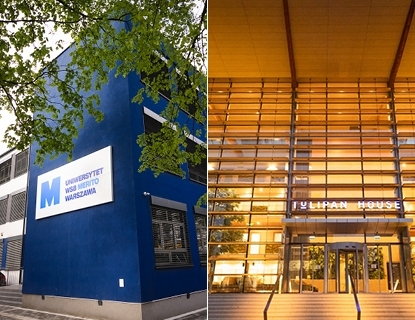


Library
- Our collection includes around 10,000 books, over 24 print journals and 17 digital journal titles.
- We provide access to renowned databases and archives containing thousands of scholarly journals.
Online resources and databases
- The Library’s collections consist of journals, monographs and teaching materials.
- The online system allows users to quickly search the collections and reserve books electronically.
Library catalogue
- The entire collection is catalogued electronically.
- Readers can use extensive e‑collections, including abstract databases, full‑text journals and Digital Library resources.
DIGITEKA – Didactic Materials Centre
It is a collection of over 2,000 materials for students and lecturers (including case studies, manuals, videos and books) from various fields such as philology, IT, law, psychology and management.
Library in numbers
Library lending departments

Opening hours of the Library:
Monday: closed
Tuesday: 8:00–16:00
Wednesday: 8:00–14:30
Thursday: 8:00–16:00
Friday: closed
Saturday: 9:00–14:00
Search, borrow or order books via the online library catalogue.
As a rule, books are borrowed for 14 days and textbooks for 31 days, but this period can be extended. You may have up to 4 items on loan at one time. Some titles are for in‑library use only.
Go to your library account.
Library – where to start?
Students of WSB Merito University use the Library’s resources free of charge. To borrow books, you must have a valid student ID card or a free library card.
Library catalogue
How to order/reserve a book?
Step 1: Go to the Merito Library online catalogue and log in using your library card number and password.
Step 2: Use the search box to find the book you want to borrow.
Step 3: Check availability. If the book is available, click “Borrow”; if it is not, you can place a reservation.
Step 4: After ordering the book, you will receive a confirmation and will be able to collect it at the pickup location you selected.
Extension (renewal) of a loan
- You have full control over your loans and can extend due dates without visiting the Library.
- You can renew the due date of a borrowed book yourself by logging in to your library account.
- A loan can be renewed once, provided there are no other reservations for that book.
Book reservations
Thanks to the online reservation system, you can track book availability and reserve copies that are currently unavailable (on loan). When the book is returned, you will receive an e‑mail notification and will be able to choose a convenient pickup location – in the Library or from the book locker. You can cancel your reservation at any time. If a book you have borrowed is reserved by another user, you will no longer be able to extend its due date.
Book returns
- You can return books during the Library’s opening hours, either in person or via someone who returns them on your behalf.
- You can also return books outside opening hours by placing them in the book drop at the Targówek Campus, ul. Łabiszyńska 25.
- You may return books by post or courier; the address is given in the Contact section. Remember to add the note “Library” on the parcel.

How do I use electronic resources?
Using the library’s electronic resources is simple and convenient. You can browse the online catalog by logging into your library account with your card number and password. The catalog allows you to search for books and journals, as well as order and reserve them. In addition to traditional resources, the library offers access to electronic databases such as IBUK Libra, BIBLIO ebookpoint, and LEX, which contain extensive collections of academic publications and legal information.
Reading room

- The reading room is equipped with computer workstations with Internet access.
- You have open access to books and journals there.
- The book collection is arranged by subject areas.
Digital library
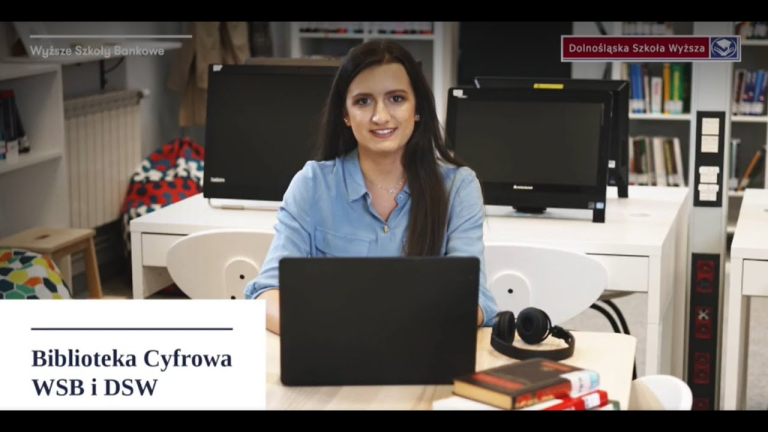

- Browse the library resources without leaving your home.
- Here you will find journals, books, textbooks, podcasts, and many more materials that have been prepared especially for the Digital Library.
- In the "teaching materials" section, you will find teaching aids and materials, including case studies and multimedia recordings such as videos, divided into thematic collections.
Databases

LEX Akademia + Lexotek
A legal database updated daily, providing access to the complete body of court and administrative case law, legal literature, and sources of Polish law. It also includes the Legal and Economic Information service and the Polish Legal Bibliography of the Polish Academy of Sciences.
IBUK Libra
A platform with e-books from publishers such as Wydawnictwo Naukowe PWN, Wolters Kluwer Polska, PWE, C.H. Beck, IMPULS, Helion, and others, as well as university presses in the fields of economics, humanities, social sciences, natural and mathematical sciences, law, medicine, and sports.
Legalis
A comprehensive database of Polish law that includes legal acts from the Journal of Laws, Monitor Polski, and official journals, as well as court rulings, official explanations, document templates, and modules on the Civil Code, Criminal Code, Taxes, Labour Law, and Public Procurement Law.
Pearson
A fully English-language database that contains books on economics and management published by the educational and publishing company Pearson.
Infor Lex
A full-text database containing legal acts, case law, commentaries, and articles published in specialist press by INFOR, covering finance, taxes, accounting, and human resources.
BIBLIO ebookpoint
An online lending service for specialist e-books that operates similarly to a traditional library, offering academic titles, fiction, guides, and professional publications.
Proquest
A mainly English-language database offering nearly 10,000 full-text journals, dissertations, working papers, leading business and economics periodicals, and country and industry reports, whose international coverage gives researchers a comprehensive view of companies and business trends worldwide.
EBSCO
The most extensive (mainly English-language) full-text database covering exact sciences, humanities, social sciences, psychology, education, economics, business, computer science, engineering, biology, chemistry, physics, medical and biomedical sciences, and many other fields.
Elsevier
Millions of publications from Elsevier, ranging from full-text journal articles to reliable book editions. Books on the ScienceDirect platform cover 24 subject collections across disciplines such as biochemistry, genetics, molecular biology, chemistry, and clinical medicine.







FAQ
In our library, you can use not only traditional printed books. You also have access to online electronic databases available 24/7 from anywhere, such as IBUK Libra – a wide selection of publications from leading Polish academic and popular publishers – and LEX, a system of up-to-date and comprehensive legal information.
A reader may borrow four volumes at a time for a period of 30 days.
You only need to come to the library in person with a valid student ID, and the librarian on duty will handle all the formalities and create your library account. From that moment, your student ID also serves as your library card.
On the day of registration, the student will receive to their e-mail address in the "@student.wsb.warszawa.pl" domain a link with an activation code for the online catalog, which will enable registration. At the time of registration, the user must enter: a username, a password (min. 8 characters, including a capital letter and a digit), and the account activation code.
After completing the registration, the user can log in immediately by entering their chosen username and password in the login form.
The user profile contains the following information:
- personal data of the logged-in reader,
- a form for changing the catalog password,
- information about current loans,
- information about any outstanding items,
- information about reserved items,
- and the history of all the reader’s loans.
To do this, you need to send an email – necessarily from your student account in the WSB domain – to the following address: [email protected].
- Searching is done via a single search box, similar to the popular Google search engine. The phrase you enter is, by default, searched across all indexes at once.
- It is possible to search separately in the following indexes: author, title, subject (subject heading).
- Entering the searched phrase in quotation marks will generate a list of results that match the query exactly.
Go to the library catalog page and log in to your virtual library account. Open the “Search” option, where you can search for books by author, title, or subject heading. Select the item you are interested in, check its availability, and then click the “Reserve” button at the bottom right of the window.
You will receive a reservation confirmation at your email address and you have 7 days to collect it.
It is possible to renew a selected item for another 30 days.
Renewals, that is, extending the due date of a borrowed book, can be done independently after logging in to your virtual account. An active renewal is visible only to the logged-in user. The “Renew” button is located next to the title of the borrowed item in the electronic catalog on the “Your account” tab. For users who do not have a virtual account, renewal is only possible via a librarian, after the library receives the information from the reader by phone or email.
The system automatically charges a fee for an overdue book of 1 PLN for each day.
Yes
The library fee must be paid into the following account:
BNP Paribas Bank Polska SA 81 1750 1019 0000 0000 4115 8786
In the transfer title, enter: fee for overdue books, first name and surname, student ID number.
No, magazines are available only for use in the reading room.
The reader must buy the same title that was lost (with the same or a newer year of publication), and if that is not possible, another book indicated by the librarian must be purchased.
Contact us