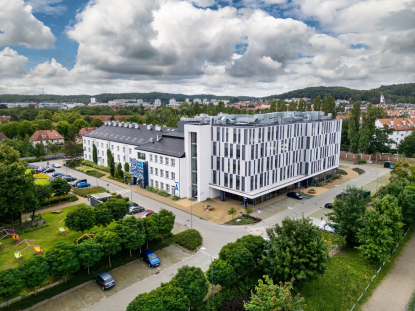


Library
- We provide books and journals for study and work.
- Our Library is open to students, staff and external users.
- We offer quiet study rooms and computer workstations.
Library catalogue
With a catalogue account you can:
- browse the collection,
- order and reserve books,
- renew loan periods,
- submit book purchase suggestions.
E‑resources
- We provide our users with access to electronic resources – external databases and online journals.
- You can use the e‑resources worldwide, 24/7.
Contact
Opening hours:
Monday – Saturday: 9:00 – 17:00
Sunday: 9:00 – 15:00
Contact:
- E-mail: [email protected]
- Tel. +48 58 522 77 75 or +48 58 522 77 79
- Messenger
Library lending departments

Library operations
Library opening hours:
Mon–Sat: 09:00–17:00
Sun: 09:00–15:00
Books are loaned for 4 weeks and the due date can be renewed multiple times. The maximum number of items on loan may not exceed 10.
Journals are available for use in the library only, with the option to request scanned copies of articles.
To use our collection, please go to the library catalogue.
Library – where to start?
Merito students can use library resources free of charge. To borrow books and access e‑resources, you need a library account.
Create your library account:
- Go to the library catalogue website,
- Click “Account” in the top right corner and then “Register”,
- Fill in the registration form,
- Contact the library to activate your account.

Library catalogue
How to order/reserve a book?
Step 1: Go to the library catalogue and log in to your account.
Step 2: Use the search bar to find the book you want to borrow.
Step 3: Check availability. If the book is available, click “Borrow”. If it is not available, you can reserve it.
Step 4: After placing your request, you will receive a confirmation. You can then collect the book from the library or the book locker.
Extension (renewal) of a loan
You can renew your loans multiple times, as long as the book has not been reserved by another user.
To extend the due date:
- renew it yourself by logging in to your account in the library catalogue, or
- contact the library by e‑mail, phone or Messenger.
If a book you have borrowed is reserved by another user or becomes overdue, you will no longer be able to renew it yourself. Please contact the library.
Book reservations
If all copies of a book are currently unavailable, you can place a reservation.
- Find the book you are interested in and open its details.
- Click the “Reserve” button.
- A reservation expiry date will be displayed – leave it unchanged.
- Click “Confirm” to complete the process.
- When the book becomes available, you will receive an e‑mail notification.
Pick‑up and return
You can return books:
- in person at the library or via someone returning them on your behalf,
- outside library opening hours by placing them in the book drop,
- outside library opening hours by placing them in the book locker,
- by post, sending the books by mail or courier to our address.

How to use the book locker?
The book locker lets you pick up and return books 24/7.
Pick-up:
- Press “PICK UP” and enter your ID from the e‑mail or scan your student ID.
- Your books stay in the locker for 7 days.
Return:
- Press “RETURN”, enter your ID or scan your student ID.
- Scan the white label on the back cover and place the books in the open locker.
Photo galery





Reading room

- The reading room is equipped with computer workstations with Internet access.
- You have open access to books and journals, which are arranged by subject area.
- You can use group study rooms or quiet study spaces.
- The reading room is not only for studying – it also offers relaxation zones with board games and bookcrossing shelves. You can use chargers and headphones on site.
Digiteka – Digital Teaching Materials
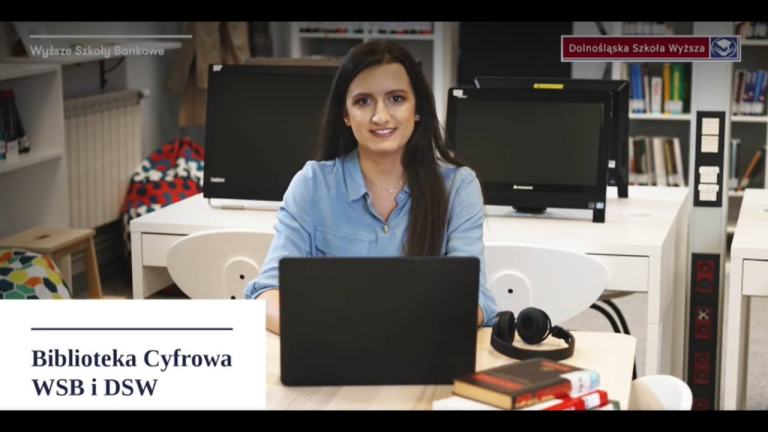

This is a collection of over 2,000 materials for students and lecturers (including case studies, manuals, films and books) from various fields such as philology, computer science, law, psychology and management.
e‑Resources
IBUK Libra
It is a platform with Polish e‑books, including titles from publishers such as PWN and PZWL. It contains around 3,000 books, and many titles available in the database can also be found in the library in print.

LEX
The LEX Legal Information System is a daily updated legal database that provides access to a complete collection of court and administrative case law, legal writings, and sources of Polish law.
TO ENTER THE DATABASE – CLICK on the LEX name in the rectangle in the center of the screen.

Legalis
A legal database with books, codes, document templates, and guides on taxes, public finance, HR and payroll, finance and accounting, health and safety, and public procurement.
TO ENTER THE DATABASE – CLICK: IP login: log in.

EBSCO
The largest (mainly English-language) full-text database containing books and articles from all fields.
To download an entire book, you must create an account within the database.

BIBLIO Ebookpoint
It is an online lending platform for Polish books, including titles from the Helion publishing house, where you log in with your library catalog credentials and then register.
TO ENTER – CLICK the little person icon on the right – reader, then register.

EMIS
It is a comprehensive next-generation information and analytics platform, based on artificial intelligence and containing mainly financial and economic information.

ScienceDirect
It is a full-text database providing access to 1,869 journals from the publisher Elsevier Science in fields such as computer science, economics, business and management, energy, environmental protection, mathematics, and social sciences.
Wiley Online Library
It is a rich multidisciplinary database containing publications in the social sciences, economics, politics, humanities, and natural sciences, with over 4 million peer-reviewed articles from 1,367 high Impact Factor journals.
Springer Link
It is a full-text Springer database that allows searching and browsing electronic journals from many fields, providing access to tables of contents, abstracts, and full-text articles, with archives available from 1996 onward.

Emerald Insight
It is an Emerald Publishing platform that includes journals and e-books in management, business strategy, logistics, marketing, accounting, economics and finance, as well as education and the social sciences.
Nature
It is one of the oldest and most prestigious scientific journals, published by Nature Publishing Group, containing publications in the natural, engineering, physical, and economic sciences. The license provides access to the current year’s volume and four previous annual volumes.

Science
It is a scientific journal published by the American Association for the Advancement of Science, with a license that provides access to the current year and archives from 1997 onward.

ACM Books
It is a series of scholarly scientific books in leading areas of information technology. In this subscription you have access to two ACM Books collections, Collection 1 and 2, which together contain 50 e-book titles, and no additional account is required to use the database.

Web of Science
It is a Thomson Reuters reference database that contains citation indexes from Journal Citation Reports.

A–Z list of electronic journals
allows you to check whether specific publications are available in any of the databases listed below.

Digital library
The Digital Library offers books, articles, manuals, case studies, podcasts, and videos by experts such as Natalia Hatalska and Janina Bąk. Log in using your Extranet credentials to access the resources.
Academica
It is a digital lending service through which the National Library provides access to digitized resources, including scholarly books and journals from all fields of knowledge. In the reading room you will find a dedicated workstation that allows you to use these resources freely.
e‑Resources – login

To access the e‑resources provided by the Library:
- Go to the WSB Merito University in Gdańsk website.
- Navigate to Student Zone → Library → e‑Resources.
- In the list of databases, find the one you are interested in and click “Log in”.
- In the login window, enter your library catalogue credentials.

Some databases require additional login steps.
- Ebookpoint BIBLIO – when the login window appears, enter your library account login and password, then create an account in the database. Login is a two‑step process:
- first with your library account details,
- then with your Ebookpoint account details.
- Legalis – to gain access, click “Logowanie po IP: zaloguj”.
- Digital Library – log in using the same credentials as for the Extranet.
FAQ
How to register with the Library:
Fill in the registration form available in the catalogue:
https://biblioteka.gdansk.merito.pl/registration
After submitting the form, contact us to activate your account:
- e-mail: [email protected]
- phone: 58 522 77 75 or 58 522 77 79
- Messenger: “Biblioteka Uniwersytetu WSB Merito w Gdańsku” profile
Once registration is complete, your ID number will be displayed. You can use it:
- as your login for the library account,
- to collect books from the book locker.
After logging in to your account, click the ID number in the top right corner of the page to go to your personal user account.
After we receive confirmation that you have completed the registration form, we will activate your account, send you your login details, and an e‑mail with the most important information.
During your first visit to the Library, we will link your student ID card to your library account – from that moment it will also serve as your library card.
Postgraduate, MBA students and other users without a student ID can receive a library card from us, although this is not required in order to use the Library’s resources.
With your Library account you can:
- borrow books in print and as PDF files,
- browse journals in the reading room and order scans of articles (up to 5 per request),
- use electronic databases – e‑books, audiobooks and online journals,
- access the WSB Merito‑DSW Digital Library with case studies, manuals and videos prepared by our lecturers.
In the reading room you can also use computers with Internet access and rooms for quiet and group study.
Library account login details
BA, engineering and MA students
- Login: gd + student ID number (e.g. gd12345) or ID number
- Password: your own – created during registration
Postgraduate, MBA students and other users
- Login: gd_ + first letter of first name and last name (e.g. gd_jkowalski) or ID number
- Password: your own – created during registration
First try resetting your password yourself – a temporary password will be sent to the e‑mail address provided when you created your library account.
If the message does not arrive within a few minutes, check your SPAM folder. If you still have problems, contact the Library: e‑mail: [email protected], phone: 58 522 77 75 or 58 522 77 79, Messenger: Biblioteka Uniwersytetu WSB Merito w Gdańsku.
How to use the library catalogue
Go to the catalogue page: https://biblioteka.gdansk.merito.pl/catalog
The catalogue works similarly to Google – you can enter a title, author or subject heading.
You can narrow the results using the filters on the left, e.g. by document type, publication date or location.
- Directly in the Library – by visiting in person.
- Online – after logging in to your library account, you can order a book and collect it in the Library or from the book locker. The ordered book will be available for 7 days.
- You can borrow up to 10 books at a time.
Book loan periods:
- 4 weeks – standard loan period,
- 2 weeks – for reading‑room copies and single copies.
Renewing the due date:
You can renew the due date yourself via your library account or by contacting the Library.
- To extend the due date, contact the Library:
- e‑mail: [email protected]
- phone: 58 522 77 75 or 58 522 77 79
- Messenger message: profile Biblioteka Uniwersytetu WSB Merito w Gdańsku
- Renewing the due date yourself:
Log in to your library account, click your name in the top right corner, select User account, then the Renewals tab. - NOTE: If the book has been reserved by another user, the self‑renewal option is unavailable.
- Directly in the Library – in person during opening hours.
- Via the book locker – available 24/7.
- Via the automatic book drop – on level -1 in building B.
- Via the traditional book drop – next to the Library entrance.
A fee of 1 PLN per book is charged for each day overdue.
Before the due date, a reminder is sent to the e‑mail address provided at registration. If you still need the books, renew the loan yourself or contact the Library.
If the due date has passed, you will not be able to renew the loan on your own. Contact the Library and staff will renew it for you; if the book has not been reserved by another user, the renewal will be granted and further charges will stop.
- The book locker allows you to collect and return books ordered from the Library.
- To pick up or return books, enter your ID number on the touch screen or use your student ID card.
- You can place up to 5 books in a single locker compartment.
- The automatic drop box allows you to independently return books assigned to your account.
- Books should be placed in the drop box one at a time.
Watch the instructional video to learn how to use the book locker and the automatic drop box: Video: how to use the book locker and the automatic drop box.
You only need to set up a separate account at the Library in Gdynia to be able to borrow an additional 10 books. To do this, please contact the librarians in Gdynia.
People from outside the university can use the Library’s resources on site in the reading room.
Contact us